Best MOPA Laser for a Business in 2026
If you’re buying a laser to build a business — not just as a hobby — a MOPA fiber laser is usually the machine worth the extra money. This guide explains what “MOPA” actually means, when it’s worth paying for over a standard fiber laser, and which machines are worth considering at each budget level.
What Is a MOPA Laser?
MOPA stands for Master Oscillator Power Amplifier. In practice, it’s a type of fiber laser that gives you independent control over pulse width and frequency, instead of a fixed pulse like a standard (“Q-switched”) fiber laser. That extra control is what lets a MOPA laser produce a wider range of colors on stainless steel, deeper and more consistent engraving on metal, and cleaner results on delicate or reflective materials like jewelry.
The tradeoff is price. MOPA machines typically cost 30–70% more than a standard fiber laser of the same wattage. For a hobbyist, that premium usually isn’t worth it. For a business — especially one doing jewelry, color engraving, or high-volume metal work — it often pays for itself in what you can charge per piece.
MOPA vs Standard Fiber: Who Actually Needs It
| You should consider MOPA if… | A standard fiber laser is enough if… |
|---|---|
| You want color engraving on stainless steel | You’re doing black-mark engraving only |
| You’re engraving jewelry or small, detailed pieces | You’re working on larger, less delicate items |
| You need consistent depth control on metal | Basic depth control is fine for your products |
| You’re charging premium prices for finish quality | You’re pricing on volume, not finish |
How Much Does a MOPA Laser Cost?
Budget realistically by wattage and brand tier:
- 30W MOPA: roughly $1,500–$2,500 — fine for jewelry and small parts, slower on thicker metal
- 60W MOPA: roughly $2,500–$4,500 — the most common choice for small businesses; good balance of speed and control
- 100W+ MOPA: roughly $4,500–$8,000+ — for production volume or thicker material
Full commercial bundles (laser plus rotary attachment, fume extraction, enclosure, and workholding) can run well beyond the base machine price — sometimes $10,000+ once accessories are included.
ComMarker B6 MOPA
Pros
- Strong color engraving on stainless steel
- Fits on a standard workbench
- Good balance of speed and control for the price
Cons
- Costs more than an entry-level fiber laser
- Slower than higher-wattage machines on thick metal
Choosing Your Wattage
Wattage is the decision most buyers agonise over and most get slightly wrong — usually by buying more than they need. Here’s the thing that clears it up: wattage does not affect mark quality. A 30W MOPA and a 100W MOPA, at matched settings, produce marks a customer cannot tell apart. What wattage buys is speed and depth per pass.
| Power | Suits | Consider something else if |
|---|---|---|
| 20–30W | Jewellery, small detailed pieces, low volume | You’re marking large areas or running all day |
| 60W | Most small businesses — mixed orders, good speed | Your work is tiny and detailed, or truly high volume |
| 100W+ | Daily production, deep marking, industrial parts | Your bottleneck is orders rather than throughput |
60W is the practical sweet spot for most buyers. If you’re weighing the step up, the 100W break-even analysis works through the maths.
What to Verify Before You Buy
- That it’s genuinely MOPA. Some listings use “MOPA” loosely. A real MOPA source lets you set pulse width in nanoseconds — if the spec sheet doesn’t state an adjustable pulse-width range, be sceptical.
- The laser source. JPT and MAX are the names you’ll see most on MOPA machines. A seller who won’t name the source is telling you something.
- Work area against your largest product. Measure the biggest item you plan to engrave and confirm it fits with room to position.
- Rotary support and cost. Almost always sold separately, and almost always needed.
- Lens options. Different focal lengths trade work area against detail. Check what’s included versus extra.
- Software. LightBurn compatibility matters because most community tutorials assume it.
- Warranty length and support location. Where the support desk sits determines how long a fault costs you.
Budget the Whole Setup
The machine is roughly two-thirds of what you’ll spend getting operational:
- Fume extraction: $200–$1,000 — required when marking metal
- Rotary attachment: $200–$500
- 1064nm-rated eyewear: $50–$150 — the fiber beam is invisible
- Test and production material: $300–$1,000
- Enclosure if the machine is open-frame
Add $750–$2,650 on top of whichever machine you choose. Buying a better laser and having nothing left for extraction is a worse outcome than buying one tier down fully equipped.
Where MOPA Actually Earns Its Premium
The upgrade justifies itself when it changes what you can charge, not when it changes what you can do. Three cases where that’s true:
- Colour on stainless. A colour-engraved product commands a real price premium, and no standard fiber laser can produce one. This is the clearest case.
- Jewellery and fine detail. Pulse control gives you command over depth on small, delicate pieces where a fixed pulse is blunt.
- Heat-sensitive or thin stock. Shallow marks without discolouration or warping — useful on anodised aluminium and thin sheet.
If none of those describe your product line, a standard fiber laser will serve you identically for $1,000–$2,000 less. That’s covered in the small business fiber laser guide.
Common Questions
Is MOPA worth it for a hobbyist?
Usually not. The premium is justified by what you can charge, and hobbyists aren’t charging. If colour engraving is the appeal and budget is tight, a 20–30W MOPA gets you there for less than a 60W.
Can a MOPA laser engrave wood or acrylic?
Not usefully. MOPA is a fiber laser at 1064nm, which organic materials largely don’t absorb. Wood, acrylic and leather need CO2 or a dual-source machine.
How consistent is colour engraving?
It’s genuinely repeatable once you’ve dialled in settings, but it’s material-dependent — the same settings on a different grade or finish of stainless can give a different colour. Expect to keep a settings library per material. Budget test stock for building it.
Do I need a rotary attachment?
If anything cylindrical is in your product line — tumblers, bottles, rings, tools — yes, and it’s nearly always sold separately. Factor it in from the start rather than discovering it later.
Where to Go Next
- MOPA Laser Engraver Buying Guide — the specs to verify before you spend
- Best 60W MOPA Fiber Lasers — the most popular wattage for small business
- 100W MOPA Fiber Laser: Is It Worth It? — when the extra power pays off
- ComMarker B6 vs Haotian 60W MOPA — a direct head-to-head
- Best Fiber Laser for a Small Business — if you’re not sure MOPA is worth it yet
- How to Start a Laser Engraving Business — costs, products, and first customers
Which laser is right for your work?
Answer three questions. I'll point you at the machine that actually fits.
1. What are you marking most?
2. What matters most?
3. Your budget?
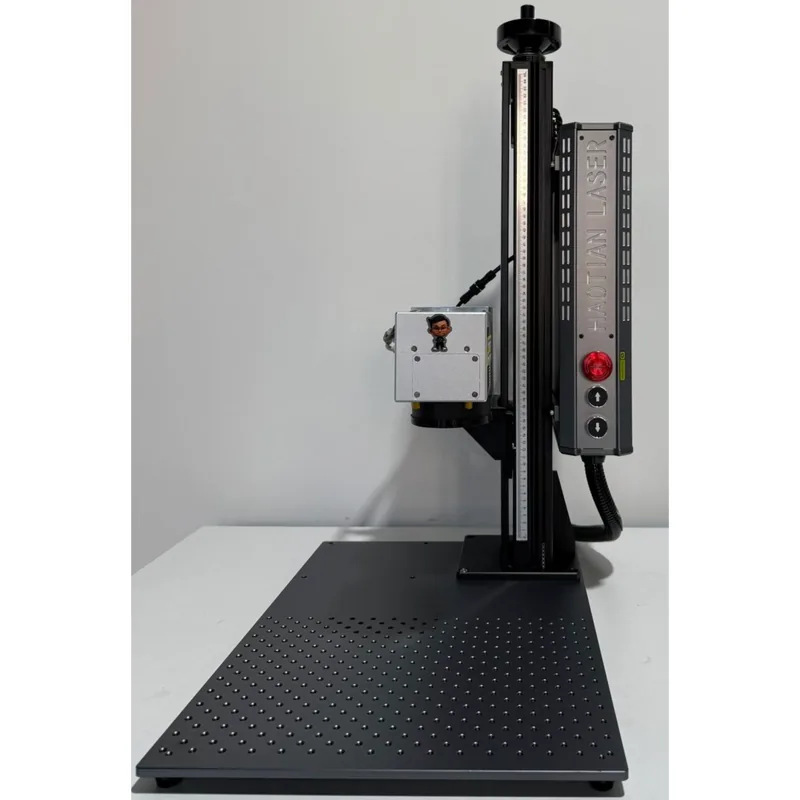
Haotian 50W JPT M8 MOPA Fiber Laser
4.9The 60W JPT M7 source is the colour-marking benchmark. Deepest engraving of the three MOPA picks.
- 60W JPT M7 MOPA source
- Full colour marking on stainless
- 1-500ns adjustable pulse width
- Deep engraving and annealing in one machine